Dashboard - Support Center
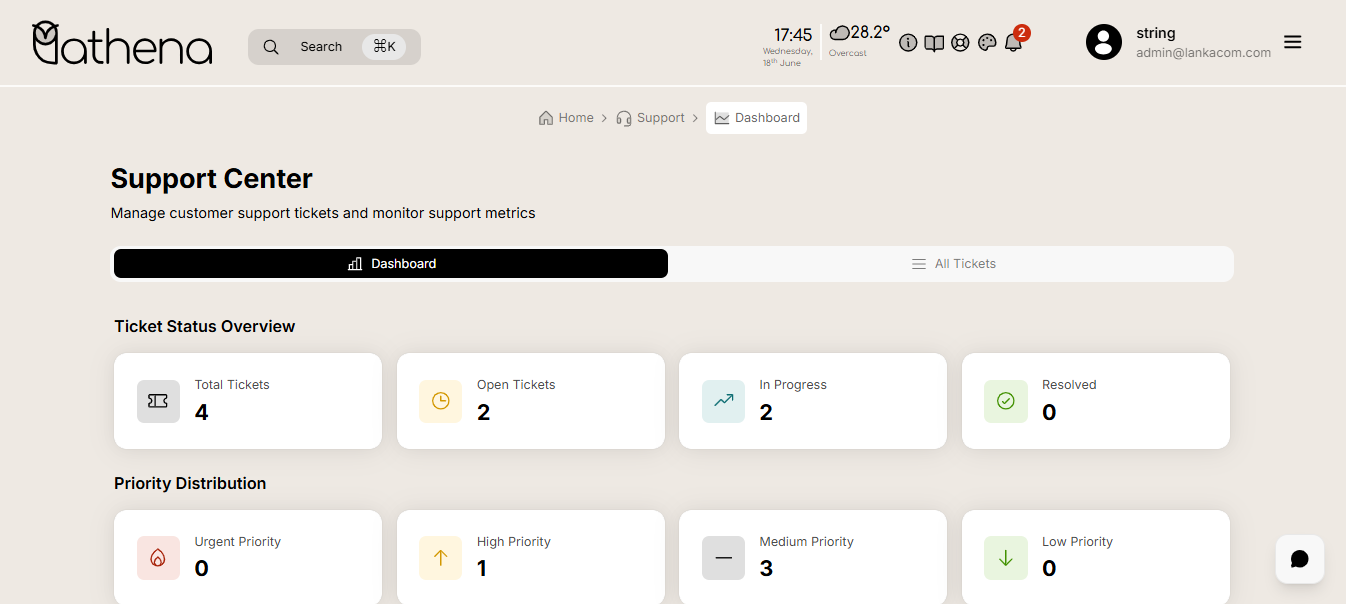
The Dashboard in the Athena School Management System's Support Center module provides a centralized overview of customer support performance through ticket status, priority, and category distributions.
Workflow Overview
🏠 Home > 🎧 Support > 📊 Dashboard
Layout
Navigation Tabs
-
Dashboard Tab – Highlights overall ticket statistics.
-
All Tickets Tab – Directs to the detailed list view of all support tickets.
Key Features
Dashboard Tab

Ticket Status Overview – Visual summary of ticket lifecycle stages:
-
Total Tickets – Total number of tickets raised.
-
Open Tickets – Tickets that are newly created and not yet handled.
-
In Progress – Tickets currently being worked on.
-
Resolved – Tickets successfully completed or closed.
Priority Distribution – Breaks down tickets by urgency:
-
Urgent Priority – Highest severity tickets requiring immediate attention.
-
High Priority – Tickets needing prompt response.
-
Medium Priority – Standard issues to be resolved in regular time.
-
Low Priority – Minor issues or general inquiries.
Category Distribution – Categorizes tickets by nature:
-
Technical – Issues related to system functionality.
-
Billing – Queries or problems regarding payments.
-
General – Non-specific or general questions.
-
Bug Reports – Issues reporting defects or errors in the system.
-
Feature Requests – Suggestions for new features or improvements.
All Tickets Tab

- Search Bar – Search tickets by title, description, or keywords.
Filters – Refine ticket results based on the following dropdowns:
-
Status – Filter by ticket status: Open, In Progress, Resolved, Closed, Unrecognized.
-
Priority – Filter tickets by urgency: Low, Medium, High, Urgent, Unrecognized.
-
Category – Filter by issue type: Technical, Billing, General, Bug Report, Feature Request, Unrecognized.
-
Tenant – Select tenant for multi-tenant environments.
-
Clear Filters – Reset all applied filters to view full ticket list.
-
Ticket Table View – Displays all support tickets based on applied filters (pagination and sorting options available).
Ticket Table Actions
All created tickets are displayed in a structured table. Each ticket includes an Action button with the following options:
- View Details – Open a detailed view of the ticket information.
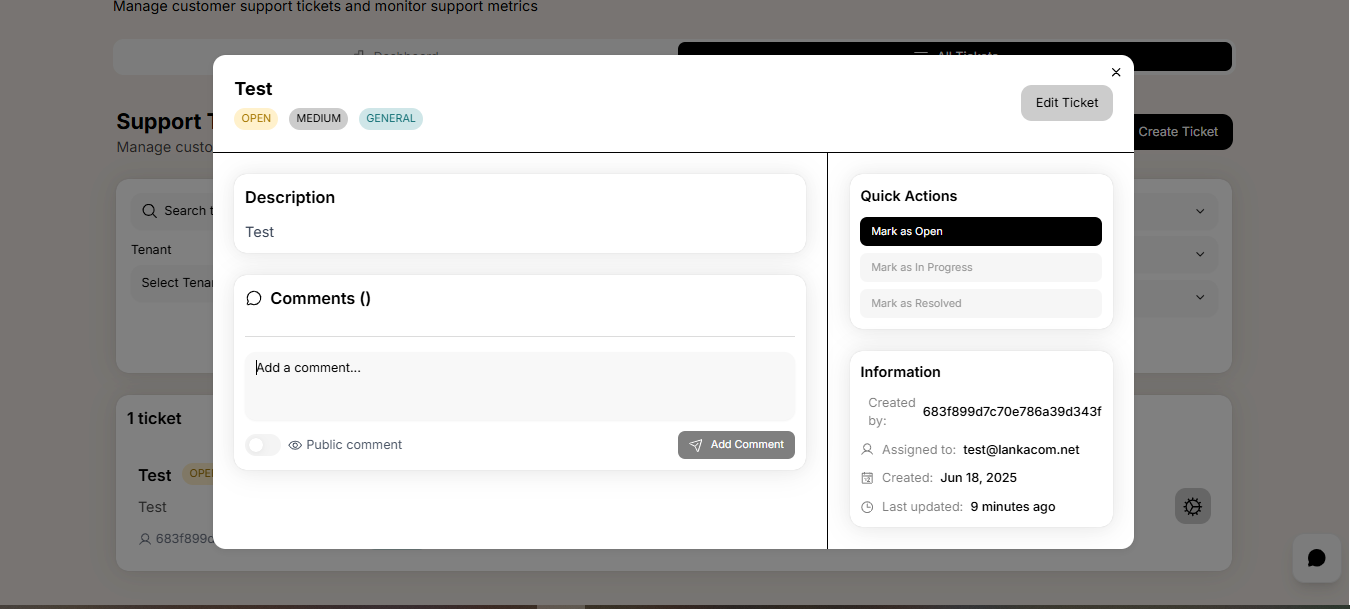
- Edit Ticket – Modify ticket fields including status, priority, or assigned personnel.

- Delete Ticket – Permanently remove the ticket from the system after confirmation.
