Branch Settings
Configure your branches and their settings here.
Workflow Overview
🏠 Home > ⚙️ Control Center > 🎚️ Settings Area > 🏢 Branch Settings
Layout
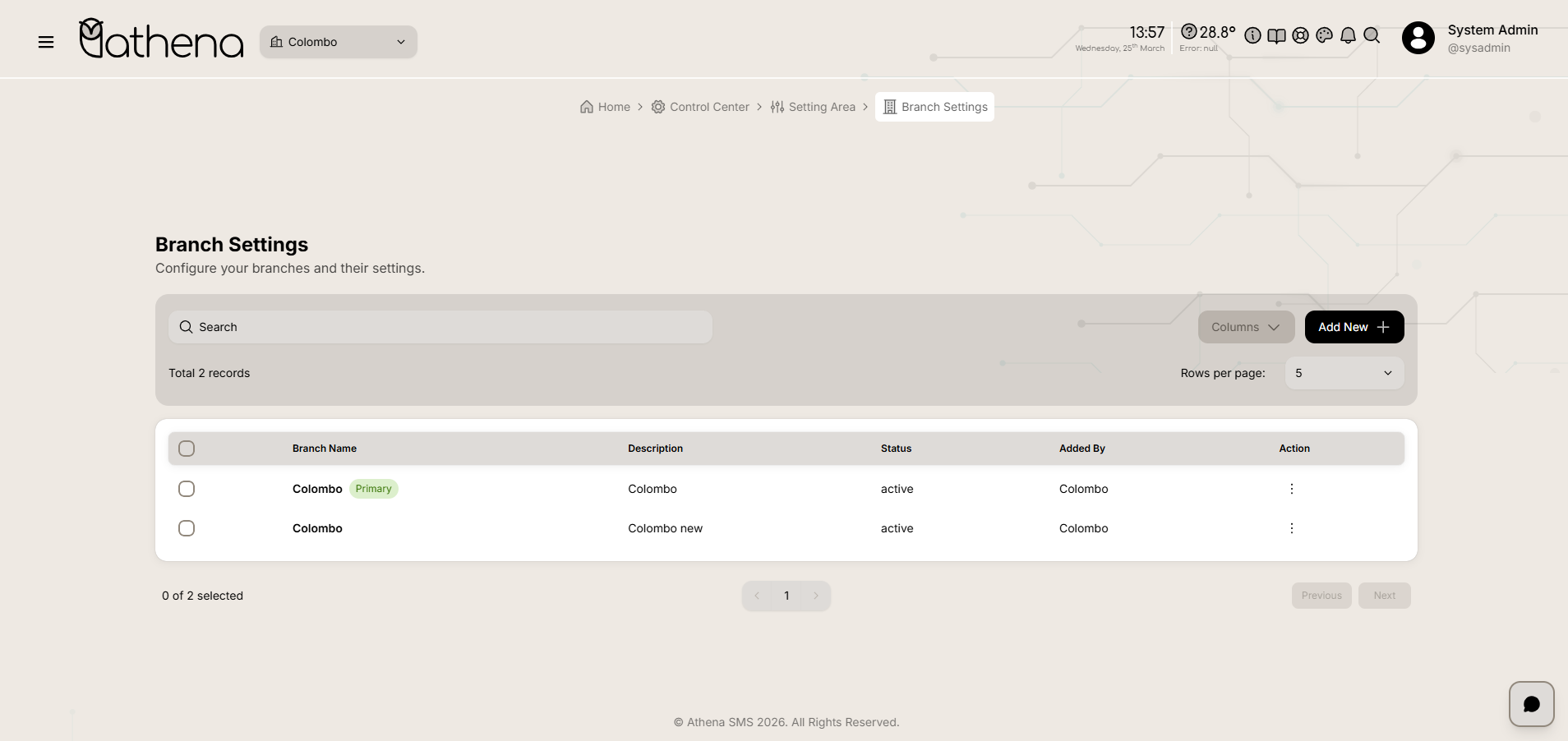
Add New Branch
-
Basic Information - Enter branch name, description, address, contact details, and other foundational information.
-
Settings - Configure branch-specific preferences and designate whether this is the primary branch.
-
Technical Configuration - Set up API endpoints and technical parameters for the branch.
-
Please add unique values for these fields: Branch name, Available end points
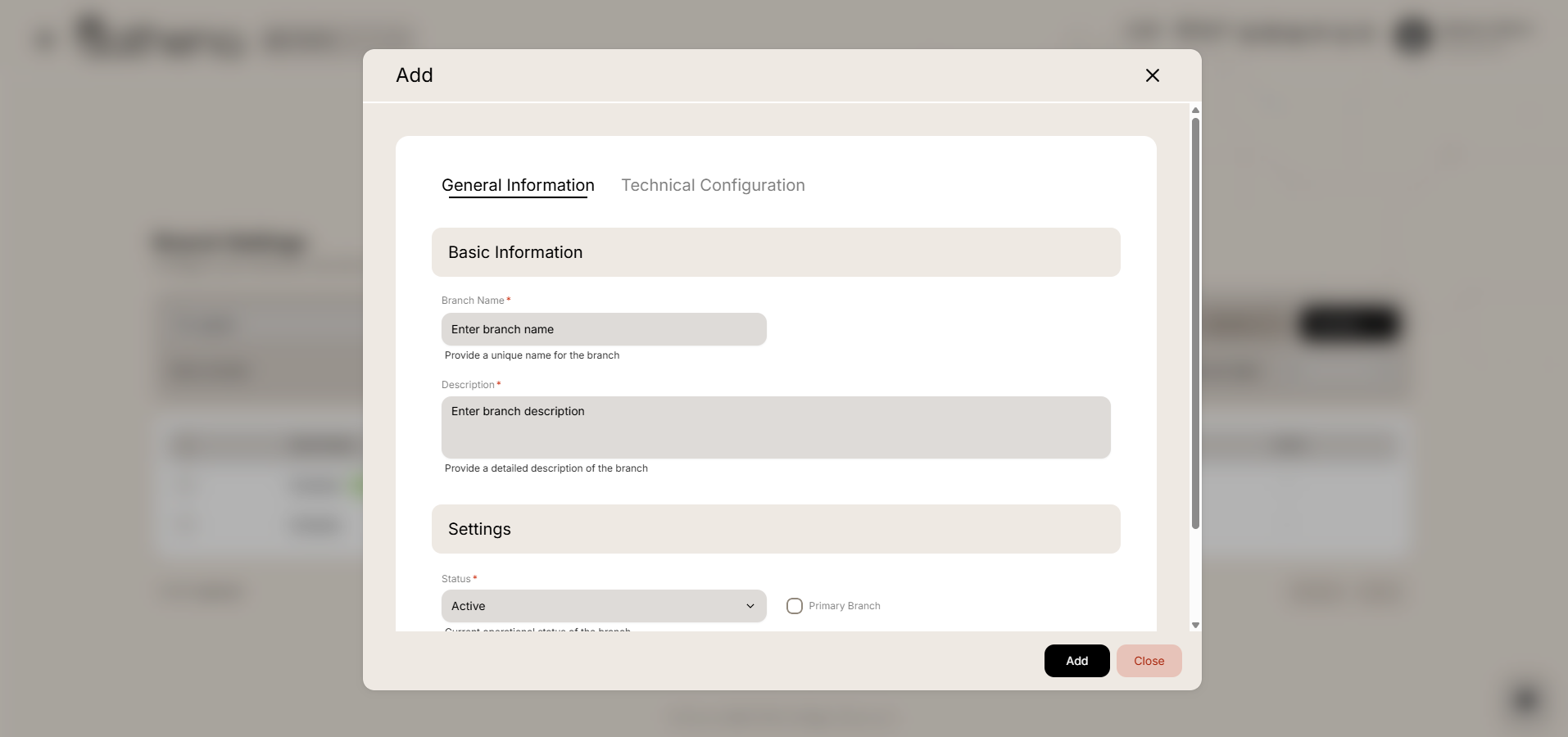
Branch List Table
-
Branch Name - Displays the name of the branch.
-
Description - Shows a brief description or location details of the branch.
-
Status - Indicates whether the branch is active or inactive.
-
Added By - Shows the user who created the branch record.
-
Action - Click the menu icon (⋮) to view, edit, or delete the branch.
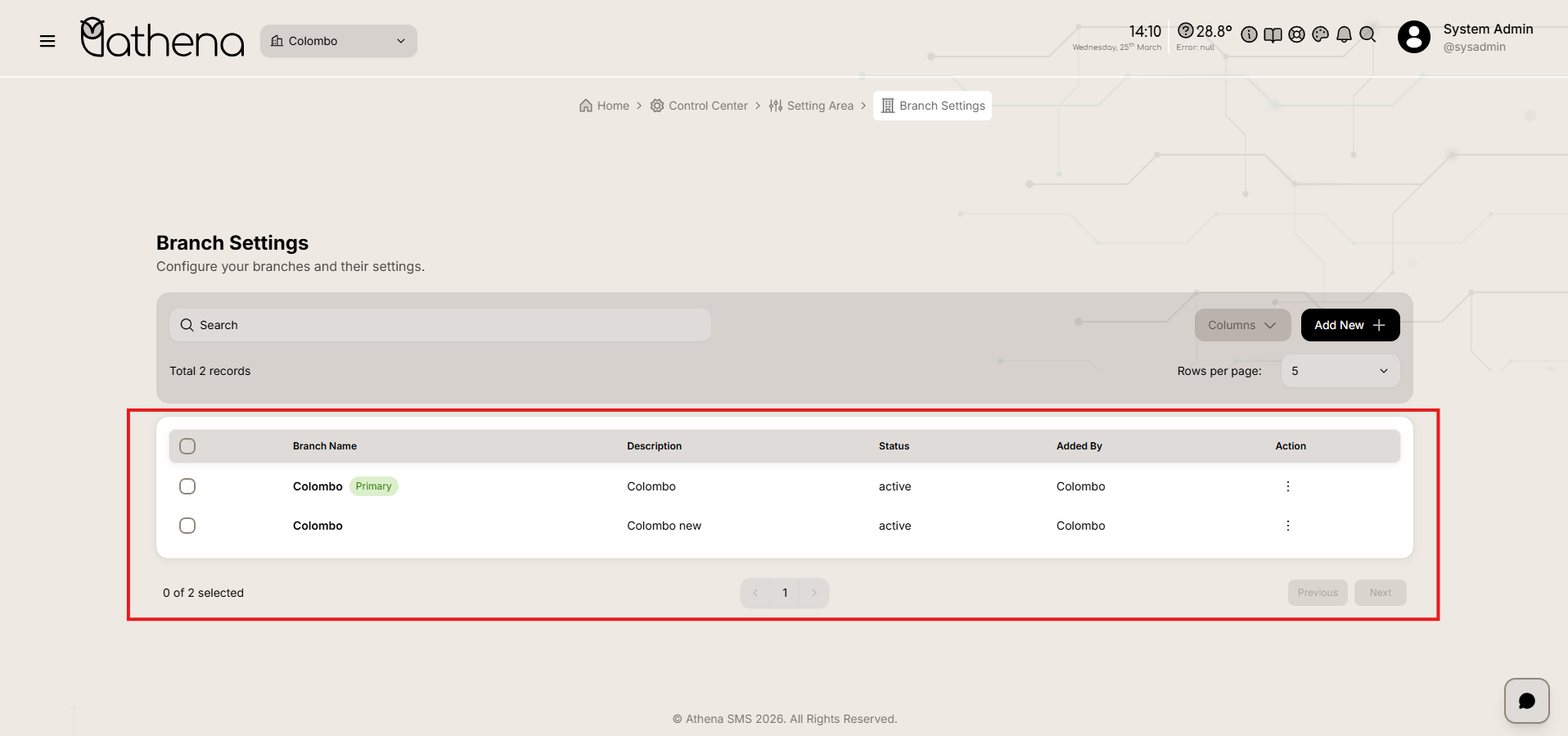
Branch Management Actions
-
View – View detailed branch information including general settings and technical configuration.
-
Edit – Modify branch details, settings, and configurations.
-
Delete – Remove the branch from the system.
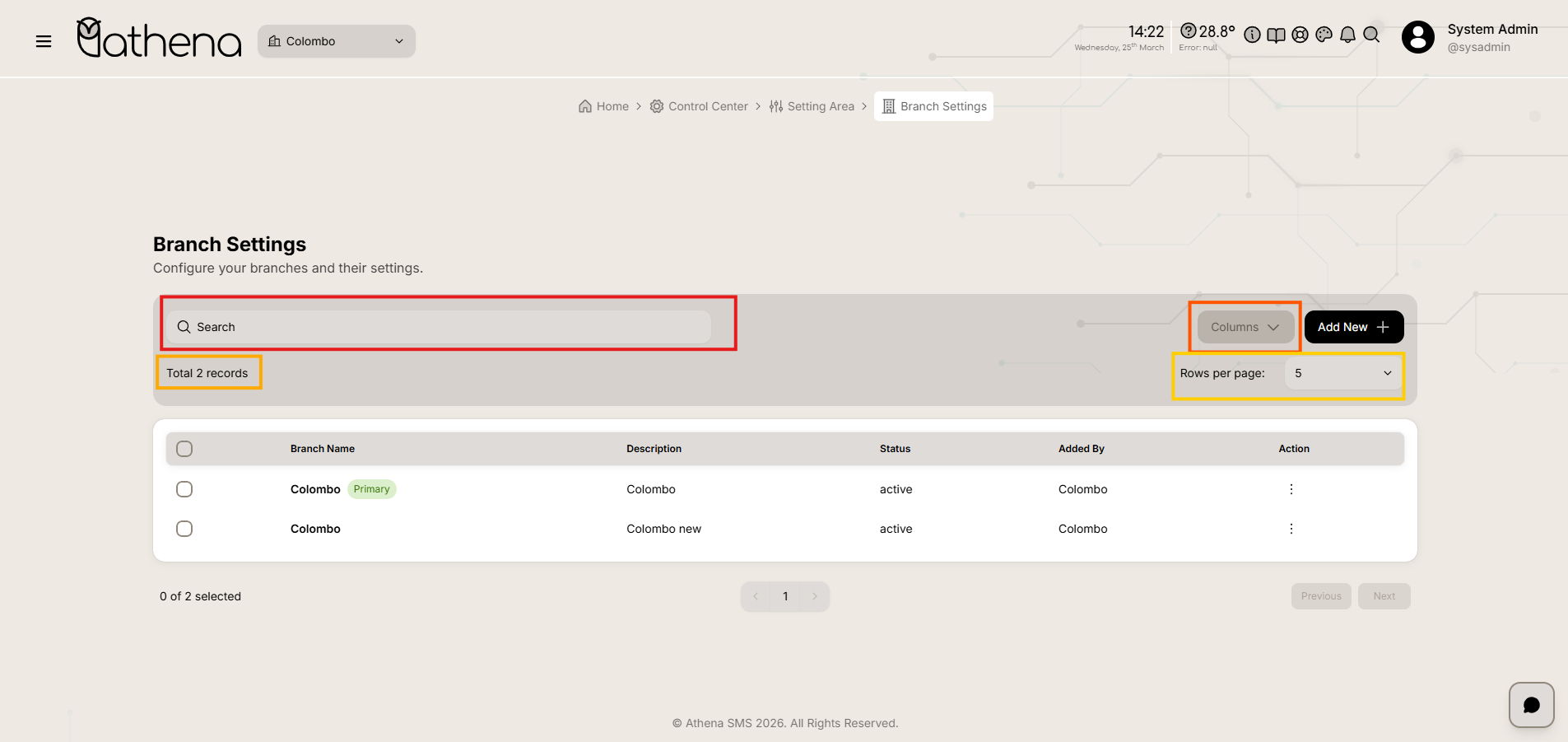
Table Controls
-
Search Bar – Quickly filter and locate specific branches by name or description.
-
Records Count – Displays the total number of branches available, such as 2 records.
-
Columns – Customize which columns are visible in the table view.
-
Rows Per Page – Adjust the number of records displayed per page for easier navigation.
Key Features
-
Centralized Branch Management – View and manage all branches from a single interface.
-
Quick Status Tracking – Easily identify active and inactive branches at a glance.
-
Complete Branch Configuration – Configure basic information, primary branch designation, and technical settings in one place.